


Using the Accessibility Assistant in Powerpoint
The Accessibility Assistant in Microsoft Powerpoint is a built-in tool that helps users create presentations that are accessible to readers with disabilities. It identifies and suggests fixes for common accessibility issues, ensuring that content can be easily read and understood by individuals using screen readers or other assistive technologies. The tool is important because it promotes better communication and equal access to information for all users, making it a valuable resource for creating inclusive content.
Opening the Accessibility Assistant in Powerpoint
Note: The accessibility assistant only checks .pptx files
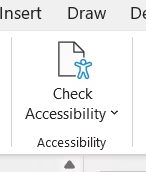
- Go to the Review tab.
- Click Check Accessibility.
Reviewing Issues in the Accessibility Assistant
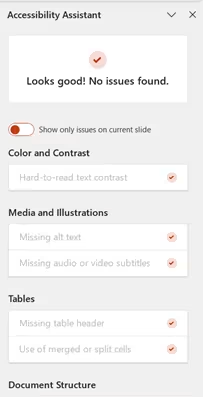
The Accessibility Assistant will open to the right of the slide pane and provides a list of errors, warning, and tips related to accessibility issues in the file. The accessibility assistant will flag issues with color and contrast, media and illustrations, tables, document structure, and document access. It will also provide guidance to fix the issues in the document.
Learn More about the Powerpoint Accessibility Assistant
Microsoft provides additional information about how to improve accessibility with the Accessibility Assistant.