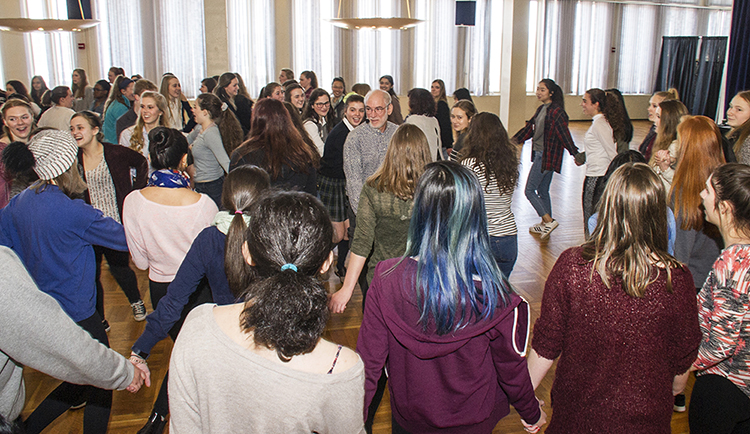
UHS students of French enjoying a Quebecois Dance workshop on Francophone Day.
Step 1: You must obtain a Student Registration Packet from your instructor before you begin the registration process.
Step 2: Read through the Student/Parent Guide for information about UHS, registration and enrollment.
Step 3: Do you qualify for Federal Reduced/Free Lunch?
Step 4: Click the registration link below and register for your course.
Register and Pay for Your Course
Summer Registration Closes: 7/31/2026
UHS Pre-Approved Registrations (Note: Only use this link if you have been pre-approved by UHS staff. Unauthorized registrations will be cancelled.)
Registering for a UHS course starts with your UHS-approved teacher, they will provide you a student registration packet.
Once the UHS Office receives the course registration, payment, and verification from the class instructor, the student is considered enrolled in the course.
Personal student information is treated confidentially and consistent with the Family Educational Rights and Privacy Act (FERPA) and the NYS Cyber Security Policy P03-002: Information Security Policy. Additionally, the online Registration and Payment Center is located on a secure server.
If you wish to withdraw from a UHS course you must follow the information below:
| Session | Withdrawal Request Deadline |
|---|---|
| Summer | August 15, 2025 |
| Fall | January 9, 2026 |
| Full Year | May 8, 2026 |
| Spring | May 8, 2026 |
You must request transcripts from the UAlbany Registrar's office. If it is the end of a semester, you should select the "hold for posting of current semester grades" option in the online transcript order to be sure your official transcript includes your final grades. Read the grading section for deadlines.
How to Order an Official Transcript: Step-by-step instructions on how to request a transcript through the UAlbany Registrar’s Office.
Information about how to complete the Student Instructional Rating Form will be e-mailed to you towards the end of the semester.
Once UHS students have registered for a course and have set up their Net ID, they will have access to some UAlbany Library Services.


1400 Washington Avenue
Albany, NY 12222
United States
8:30 a.m. - 4:30 p.m., Monday through Friday
Summer hours: 8 a.m. - 4 p.m., Monday through Friday
View our Office Directory